104, Golden Plaza, Raipur Ahmedabad-Gujrat India info@vinayakcrm.com +91 8511966239

Let's Connect

Send us your inquiry and we’ll get back to you soon.

Vinayak CRM

Internet marketing SEO company offering innovati marketing solution to mid to large size companies across the globe. As a leader in SEO, web design. ecommerce, website conversion.

  • Internet marketing SEO company offering innovative designs
  • Marketing generate awareness, drive traffic, connect with
View Demo Contact Us
200 +

Active clients

570 +

Projects Done

98 %

Success Rate

50 +

Awards

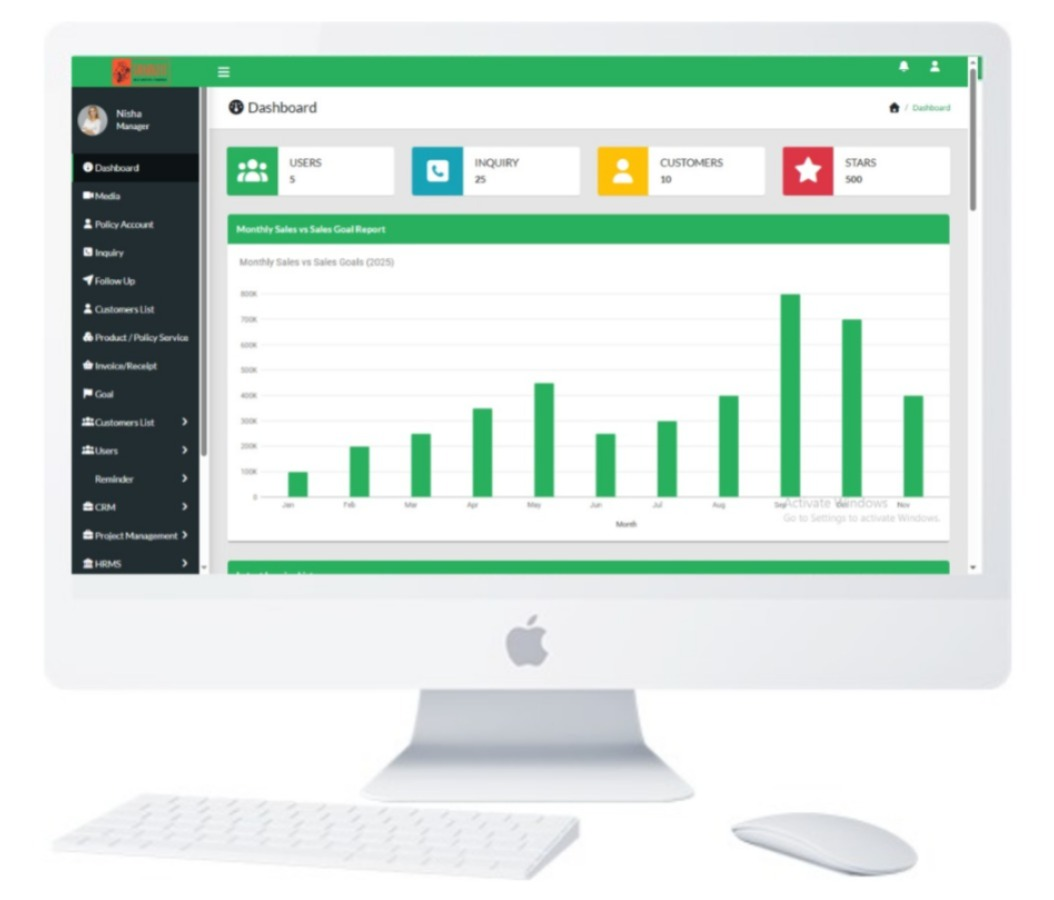
CRM Full Features

Explore the powerful modules included in our system, designed to help you manage business operations, customers, employees, and projects seamlessly.

Inquiry OR Lead Management

Admin can add,update and delete Inquiry.

Telecaller OR Sales Executive

Telecaller can add,update and delete employee.

Followups

FollowUps can add,update and delete followups of inquiry.

Category

Admin can add,update and delete category for compnay product.

Product

Admin can add,update and delete company Product.

Customer

Admin can add,update and delete customer for company.

CRM (Customer Relationship Management)

  • Inquiry Manager – Add, update, delete, import/export inquiries
  • Follow-up Manager – Record and manage follow-ups
  • Source Manager – Track sources of inquiries
  • Spam Filter – Detect and filter spam inquiries
  • Goal Manager – Set monthly and yearly goals

Billing & Invoicing

  • Business Settings – Configure company details
  • Unit Manager – Manage measurement units
  • Tax Manager – Define tax rules
  • Currency Manager – Set system currency
  • Payment Modes – Add, update, delete methods
  • Suppliers & Customers – Manage records
  • Categories & Products – Organize offerings
  • Customer Wallet – Maintain balances
  • Invoices – Generate and manage invoices

HRMS (Human Resource Management System)

  • Media Library – Upload and manage company files
  • Department & Position Manager – Define organization structure
  • Employee Manager – Manage employee records
  • Attendance & Payroll Management
  • Expense Management – Record expenses
  • Leave Requests & Holiday Management
  • Bank Details & Subscriptions
  • Official Letters – Joining, Experience, Relieving, Internship
  • Notices – Create and publish company notices

User Management

  • User Accounts – Add, update, delete users
  • Roles & Permissions – Create roles and assign access

Project Management

  • Project Manager – Create and manage projects
  • Task Manager – Add, update, assign tasks

CRM Overview

Benefits of Using CRM (Customer Relationship Management)

  • Its main priority is to focus on customer relationship management.
  • Sales activities.
  • Manage to track functions for the organization.
  • More focus on their target.
  • Sales and invoice.
  • Monitor sales performance at once.
  • Track the Sales Pipeline.
  • So everyone can use this solution.

What is CRM?

  • Proven Track Record: With years of experience, we’ve helped clients achieve top-ranking positions, increasing traffic and conversions.
  • Customized Strategies: Personalized strategies aligned with your business goals, target audience, and industry.
  • Transparent Reporting: Detailed reports of campaign progress for full visibility of results.
  • Dedicated Team: Expert team stays updated with the latest trends and algorithms to ensure success.

Technology Used

  • PHP 7.4 or 8.1.16, MySQL, HTML, Bootstrap, jQuery, JavaScript

Installation Process

  • Download folder from My Order: Once you place order in our portal, there is a download option in the My Order menu.
  • Upload Zip to Server: Upload the zip to your Linux server and extract the software.
  • Create Database on Server: Create a database on your Linux server.
  • Configure Database: Set configuration variables in config/class.database.php.
  • Import SQL Database File: Import the SQL schema file from the database folder.
  • Access Software: Once done, access the software via your browser.